Chipotle Rewards Guide: How to Earn Points and Get Free Food
If you love eating burritos, bowls, and tacos, you need to know about the Chipotle Rewards program. This is a special club for people who buy food at this popular restaurant. It is the company’s way of saying thank you for your business. Every time you buy your favorite meal, you can earn points. These points are like digital money that you can trade for real, free food.
Many people eat at this restaurant every week but forget to sign up for the program. They are leaving free food on the table! If you take a few minutes to join, you will start earning free chips, extra guacamole, and even full meals. In this article, we will explain exactly how the program works. We will show you how to sign up, how to earn points fast, and how to get the best free items.
While you are busy stacking up points for your next free meal, it is a great idea to use the main Chipotle nutrition calculator to see how your favorite reward-worthy combinations fit into your
What is the Chipotle Rewards Program?
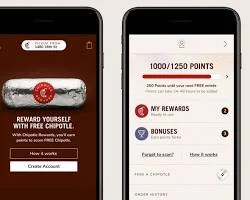
The rewards program is a free loyalty club. You do not have to pay any money to join it. It is built to reward you for the money you already spend on food. Every time you buy a meal, a drink, or a side item, the company tracks it in your account.
How the Points System Works
The math for this program is very simple. For every one dollar ($1) you spend at the restaurant, you earn ten (10) points. So, if you buy a chicken bowl and a drink for ten dollars, you will get 100 points added to your account. The computer does all the math for you. You just have to make sure you tell them you are a member when you pay.
These points sit in your account until you decide to spend them. You can check your total points on your phone anytime you want. When you save up enough points, you unlock special gifts.
Why You Should Join Today
There are many good reasons to sign up for this program right now. You get more than just points. Here are a few things you get when you become a member:
- Free signup gift: Most of the time, the app gives you a free side of guacamole just for making an account.
- Birthday treats: You get a special free gift on your birthday every year.
- Early access: Sometimes the restaurant tests out new food, like a new type of chicken or steak. Members get to try it before anyone else.
- Fast ordering: The app remembers your favorite food so you can order it again with just one tap.
Many rewards members prefer to redeem their points for a high-protein bowl, and using our burrito bowl nutrition calculator is the best way to track exactly what is inside your customized freebie.
How to Sign Up for Free
Joining the club is very fast. You can do it in less than five minutes. There are two easy ways to create your free account.
Using the Mobile App
The best way to join is by using your smartphone. Go to the app store on your phone and search for the official Chipotle app. Download it for free. When you open it, click the button that says “Sign Up.”
The app will ask you for a few simple things. You need to type in your first name, your last name, and your email address. Then, you will pick a secret password. Once you finish typing this in, your account is ready. You can start using it on the exact same day.
Signing Up on the Website
If you do not want to put the app on your phone, you can use a computer. Open your internet browser and go to the official website. Look for the “Rewards” button at the top of the page. Click it and follow the same steps. You will type in your name and email.
Even if you sign up on the computer, you can still earn points when you visit the physical store. You just need to know the phone number attached to your account.
The rewards program is also fantastic for families, allowing you to save up points for a Chipotle kids’ meal so your little ones can enjoy a healthy, balanced dinner on the house.
Earning Points Every Time You Eat
Now that you have an account, you need to know how to add points to it. Earning points is very easy, but you have to remember to do it every time you buy food.
Scanning Your Phone in the Store
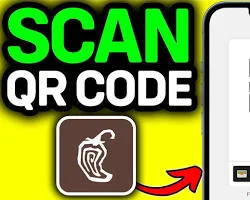
If you walk into the restaurant to order your food, you will use your phone to get points. Open your app while you are waiting in line. Tap the button that says “Scan.” A square code will pop up on your screen.
When you reach the cash register to pay for your food, hold your phone out. The cashier has a small red scanner. They will scan the square code on your screen. Once it beeps, your points are instantly added to your account. Then you just pay with your cash or card like normal.
Ordering Online or for Delivery
If you order your food online, it is even easier. When you open the app to order a delivery or a pickup meal, the system already knows who you are. You pick out your food, choose your meat and toppings, and pay on the app.
Because you are logged into your account, the points are added automatically. You do not have to scan anything. As soon as your order is finished, your points will show up on your screen.
Bonus Points and Extra Days
Sometimes, the restaurant runs special events where you can earn extra points. These are called “Extra Point Days.” On these days, you might get 20 points for every dollar you spend instead of the normal 10 points.
They will usually send you an email or a push message on your phone to tell you about these special days. If you buy your food on these days, you can reach your free burrito twice as fast.
If you only have a few points to spare or want a lighter snack, you can redeem them for a set of crispy or soft shells and check the tacos nutrition calculator for the specific calorie counts.
The Rewards Exchange Explained
The program used to only offer free food, but now it offers much more. The Rewards Exchange gives you choices on how you want to spend your digital points.
Getting Fun Chipotle Gear
If you really love the brand, you can use your points to buy real clothing. The company sells t-shirts, hats, and bags with their logos on them. You can use your food points to buy these items and they will ship them right to your house.
It takes a lot of points to buy a t-shirt, usually around 3,000 or 4,000 points. But it is a fun option if you already get enough free food.
Giving Back to the Community
You do not have to spend your points on yourself. The Rewards Exchange lets you give your points to charity. The company has partnered with groups that help farmers, animals, and the environment.
You can choose to turn your points into a real cash donation. The company will take your points and send the money to the charity you pick. This is a very nice way to help others just by eating your lunch.
For those who want to maximize the health benefits of their rewards, opting for a fresh bed of greens and using the salad nutrition calculator ensures your free meal stays light and nutritious.
Smart Tips to Earn Points Faster
If you want to earn free food faster, you need to play the game smart. Here are some of the best ways to build your point balance without spending extra money.
Look Out for Extras and Badges
Inside the app, there is a section called “Extras.” This is a list of fun challenges you can complete to earn bonus points. For example, a challenge might say, “Try our new spicy chicken this week to earn 100 extra points.”
Another challenge might say, “Order a vegetarian bowl and get a special badge and 50 points.” By checking this section before you order, you can change your meal slightly to win extra points. Over a few months, these little bonuses add up to a free meal.
Use Guac Mode
Sometimes the company turns on a special feature called “Guac Mode.” They will surprise members by adding a free reward to their account for no reason. When Guac Mode is active, you might open your app and see a coupon for free guacamole waiting for you. You do not have to use points to get it. You just have to be a member of the club.
Order for Your Friends
If you are at work and your friends want to order lunch, offer to place the order on your phone. If you order food for three or four people using your app, you get to keep all the points! Your friends can pay you back in cash, but you get a massive boost to your rewards account.
What You Can Get With Your Points
This is the best part of the program. Once you save up enough points, you get to visit the Rewards Exchange. This is a special store inside the app where you buy things using only your points.
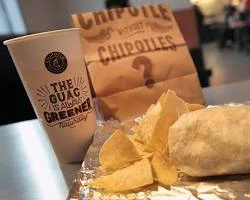
Free Chips and Guacamole
If you do not want to wait a long time to get a reward, you can spend your points on smaller items. For 400 points, you can get an extra scoop of meat or extra guacamole on your meal.
For 600 points, you can get a free bag of chips and a side of salsa. This is a great choice if you just want a quick snack and do not want to save up thousands of points.
Free Drinks and Sides
You can also use your points to quench your thirst. You can trade points for a free fountain drink or a bottle of water. They also let you use your points to buy a large side of melted cheese dip.
Here is a simple list of some small rewards:
- Extra scoop of chicken or steak: 400 points
- Chips and salsa: 600 points
- Regular fountain drink: 600 points
- Side of guacamole: 400 points
The Ultimate Prize: Free Burritos
Most people save all their points for the biggest prize. If you save up 1,625 points, you can get a completely free main dish. This means you can get a giant burrito, a loaded bowl, a salad, or a plate of tacos without paying a single penny.
To reach 1,625 points, you have to spend about $162 on food. If you eat there often, you will reach this goal very quickly.
The digital-exclusive rewards are perfect for trying out newer menu items, so be sure to calculate the macros for your cheesy treats using our quesadilla nutrition calculator before hitting the checkout.
Rules and Things to Remember
Like all clubs, this program has a few rules you need to follow. Knowing these rules will stop you from losing your hard-earned points.
When Do Points Expire?
Your points do not last forever. If you stop eating at the restaurant for a long time, your points will disappear. The rule is that points expire if your account is inactive for six months.
“Inactive” means you have not bought any food or spent any points. As long as you scan your app or buy one item every few months, your points will stay completely safe.
Missing Points? Here is How to Fix It
Sometimes, people forget to scan their phone at the register. If you pay for your food and forget to scan, do not panic. Your points are not lost. Keep your paper receipt!
At the bottom of your paper receipt, there is a long string of numbers. Open your mobile app and find the “Forgot to Scan” button. Type the numbers from your receipt into the app. The computer will read the numbers and add the points to your account. You must do this within 30 days of buying the food.
Conclusion
Joining the Chipotle Rewards program is a very smart move if you enjoy their food. It is completely free to sign up, it is very easy to use, and it actually gives you great items. By simply scanning your phone when you buy a meal, you slowly build a bank of points.
Whether you want a quick side of chips and salsa, a brand new t-shirt, or a massive double-meat burrito, your points can get it for you. Do not let your money go to waste. Download the app, make your free account, and start earning your tasty rewards today. Remember to check your extra challenges, keep an eye out for special bonus days, and never throw away your paper receipt if you forget to scan.
Frequently Asked Questions
Can I use my points for a catering order?
No, points cannot be used to buy huge catering orders for parties. You can only use them for normal meals and sides.
Do I get points when I buy a gift card?
No. You only get points when you buy actual food and drinks. However, if someone gives you a gift card and you use it to buy a burrito, you will earn points for that food.
Can I share my points with a friend?
You cannot transfer your points to another person’s phone. But you can use your points to buy a free burrito and then hand that burrito to your friend.
Is the app required to get rewards?
It is highly recommended because it is the easiest way. But if you do not have a smartphone, you can use the website and give the cashier your phone number to earn points.
How long does it take for points to show up?
Usually, the points show up in your app within just a few minutes after you pay. Sometimes, if the internet is slow, it might take up to 24 hours.